7 tricks stores use to make you buy right now (and how to spot them)
Countdown timers, "only 3 left," crossed-out prices and more. Here's how the most common shopping tricks work, and a simple way to see through each one.
Online stores are very, very good at one thing: getting you to buy now, before you've had a chance to think about it.
Most of that comes down to a handful of tricks you've definitely seen. None of them are secret, and once you know what they're doing, they lose a lot of their pull. Here are seven of the most common ones, and how to spot each one.
1. Countdown timers
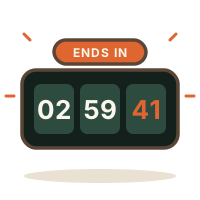
"Sale ends in 02:59:41." The numbers tick down, and suddenly a decision you could make next week feels like it has to happen in the next three hours.
What it's doing: creating urgency. When time feels short, we think less and act faster. Some timers even reset when you reload the page, or there's simply another sale a week later.
How to see through it: ask yourself, "Would I still want this if there were no timer?" If the only reason to buy it right now is the clock, that's a sign to wait.
2. "Only 3 left!"
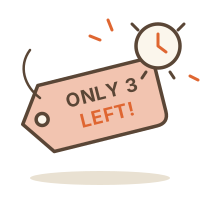
Low stock warnings make it feel like you'll miss out if you don't grab it immediately.
What it's doing: playing on the fear of missing out. A thing feels more valuable when it seems scarce, even when it isn't.
How to see through it: remember that most things get restocked, and most things have a close alternative. If it does sell out, that's usually okay. If it's truly one of a kind, that's a reason to think harder, not faster.
3. Crossed-out "was" prices
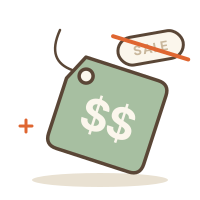
"$120 $59." That crossed-out number makes the new price look like a steal.
What it's doing: anchoring. Once you've seen $120, $59 feels cheap, even if the item rarely sold for $120 in the first place.
How to see through it: ignore the crossed-out price and look only at the price you'd actually pay. Would you buy it at $59 if you'd never seen the bigger number? It also helps to know the regular price before a big sale, so you can tell a real deal from a dressed-up one.
4. Free shipping thresholds
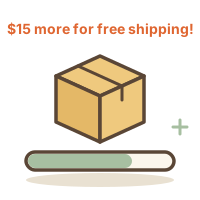
"You're $15 away from free shipping!" And there's a little progress bar, almost full.
What it's doing: turning one purchase into two. Shipping might cost $6, so you add a $15 thing you didn't plan to buy to "save" it.
How to see through it: do the math. Paying the shipping is often cheaper than buying something extra. If there's a thing you were already planning to get, great. If not, just pay the shipping.
5. "12 people are looking at this right now"
Little pop-ups like "Someone in Chicago just bought this" or "In 40 carts" are everywhere.
What it's doing: social proof. If lots of other people want something, it must be good, and you'd better hurry. These numbers aren't always as live or as precise as they look.
How to see through it: other people's carts aren't a reason to fill yours. The only question that matters is whether you want it, and whether you'd still want it next week.
6. One-click checkout and saved cards
This one isn't a pop-up at all, which is what makes it so effective. Your card is saved, your address is filled in, and buying takes one tap.
What it's doing: removing every pause where you might change your mind.
How to see through it: add the pause back. Delete your saved cards from the stores you use most, so buying takes long enough to ask yourself if you really want it. There's more on this in 7 things that help stop impulse buying online.
7. "You might also like"

You came for one thing. Now there are twelve suggestions underneath it, a "complete the look" section, and an email tomorrow with even more.
What it's doing: keeping you browsing. The longer you look, the more likely you are to find something else to want.
How to see through it: decide what you came for, buy that (or save it for later), and close the tab. If a suggestion really catches your eye, save it to a list instead of your cart and see if you still care about it in a few days.
The thing they all have in common
Every one of these tricks has the same goal: to get you to decide right now. The timer, the low stock, the pop-ups and the one-click button all work by taking away your time to think.
So the simplest defense works against all seven at once: give yourself that time back. Save it, wait a day or a week, and come back when there's no clock, no pop-up and no pressure. If you still want it then, buy it and enjoy it. The 24-hour and 30-day rules are an easy place to start.
The short version
- Countdown timer? Would you still want it with no clock?
- Only 3 left? Most things restock, or have an alternative.
- Crossed-out price? Look only at what you'd actually pay.
- Free shipping threshold? Paying shipping is often cheaper.
- "12 people are looking"? Their carts aren't your reason.
- One-click checkout? Delete your saved cards.
- "You might also like"? Buy what you came for, then close the tab.
And if you'd like somewhere quiet to save things without any of the above, no timers, no pop-ups, no suggestions, that's what Favelist is for.

Sharon